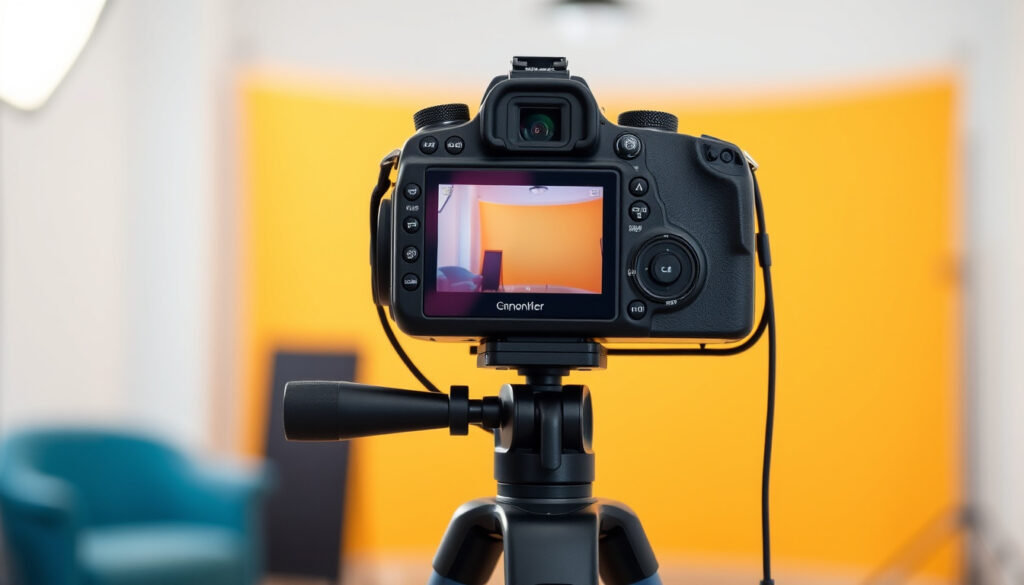
How to Fix Shaky Hands Photography: 5 Tips
There’s a particular frustration when you frame the perfect shot, press the shutter, and the preview shows a blurry mess because your hands trembled. If you’ve ever wondered how to fix shaky hands photography, this guide covers practical techniques and gear choices to help you capture sharp images even when your hands aren’t cooperating.
Minimum shutter speed rule: 1 / focal length (e.g., 1/50 sec for 50mm lens) ·
Image stabilization stops: Up to 5 stops in modern cameras/lenses ·
Burst mode advantage: Increases sharp shot probability by 30-40%
Quick snapshot
- Burst mode increases chance of a sharp frame (Explore With Alec (photography guide))
- Tripod eliminates camera shake (Adam Rhodes Photography (practitioner blog))
- Higher shutter speed reduces motion blur (FUJIFILM X Series & GFX (camera manufacturer))
- Effectiveness of specific dietary changes (e.g., reducing caffeine) varies by individual
- Long-term adaptation to tremors through strength training is not well documented
- No major recent updates in tremor-adjusted photography techniques
- Future in-camera AI may offer per-frame sharpness detection and correction
Key facts at a glance
A quick reference of the most important numbers and rules for managing camera shake:
| Rule / Fact | Value |
|---|---|
| Reciprocal rule of thumb | Shutter speed should be at least 1 / focal length |
| Typical IS benefit | 2–5 stops of compensation |
| Burst mode success rate | Captures multiple frames with different tremor phases; often yields one sharp image |
| Tripod elimination | Virtually 100% of camera shake |
How to stop shaky hands when taking pictures?
Use proper grip technique
- Tuck your elbows into your ribs to create a stable base. FUJIFILM (camera manufacturer) advises holding the camera with the left hand under the lens and gently squeezing the shutter release instead of stabbing it.
- Exhale slowly before pressing the shutter — holding your breath can increase trembling, per the same Fujifilm guide.
Increase shutter speed
- The reciprocal rule: use a shutter speed at least 1/focal length. For a 50mm lens, that’s 1/50 sec. With hand tremor, Adam Rhodes Photography (practitioner blog) recommends shooting above 1/250 sec and raising ISO or opening the aperture to compensate.
Use burst mode
- Fire a 3–7 frame burst. According to Explore With Alec (photography guide), this increases the chance that at least one frame aligns with the tremor’s still phase.
The implication: combining grip discipline with a faster shutter gives you a strong baseline before reaching for any gear.
How to Avoid Camera Shake When Handholding Your Camera?
The reciprocal rule
- Same rule applies: shutter speed ≥ 1/focal length. FUJIFILM emphasizes this as a minimum, but notes that tremor may require a faster speed.
Use image stabilization
- Optical image stabilization (OIS) compensates for minor movement and can provide 2–5 stops of benefit. FUJIFILM (camera manufacturer) recommends OIS as a primary tool for handheld shooting with tremor.
Lean against a stable surface
- Use a wall, bench, knee, or floor as a makeshift brace. Adam Rhodes Photography calls this one of the simplest and most effective free fixes.
The trade-off: stabilization gear helps, but leaning on a wall costs nothing and can be just as effective in a pinch.
Can I be a photographer with shaky hands?
Yes, many successful photographers have tremors
- With the right adaptations, tremor does not prevent professional work. Adam Rhodes Photography is a living example — he shoots regularly despite having an essential tremor.
Adaptations and gear tips
- A tripod completely eliminates shake. FUJIFILM also suggests a monopod or gimbal head for less restrictive support.
- Use a remote shutter release or the camera’s self-timer (2-second delay) to avoid pressing the shutter. FUJIFILM recommends the Camera Remote app as another option.
- Post-processing sharpening can salvage slightly blurry images — selective sharpening tools in Lightroom or Photoshop are effective.
What this means: tremor is a hurdle, not a dead end. A tripod and remote release give you full control back.
Why am I so shaky when I shoot?
Physical causes: caffeine, stress, fatigue
- Caffeine, low blood sugar, and anxiety can increase hand tremors. Reducing caffeine intake before a shoot often helps, though the effect varies individually.
- Fatigue from holding a heavy lens for long periods also amplifies natural shake. Explore With Alec notes that heavier lenses tire arms faster, potentially increasing shake.
Camera handling issues: grip, weight
- Poor grip and unbalanced rig can worsen tremor. FUJIFILM’s proper grip technique (left hand under lens, elbows in) reduces the impact of natural hand movement.
- Taking a break and breathing mindfully before pressing the shutter — as recommended by FUJIFILM — helps reduce shake from tension.
The pattern: many causes of shake are temporary and manageable. Addressing just caffeine and grip often provides immediate improvement.
How to fix shaky hands photography?
Gear solutions: tripod, monopod, gimbal
- A tripod is the gold standard. Adam Rhodes Photography pairs it with a self-timer or remote shutter for maximum steadiness.
- A monopod provides mobility with significant stability improvement over handheld. Explore With Alec recommends it as a middle-ground solution.
Camera settings: shutter speed, ISO
- Set shutter speed fast (1/250 sec or faster if possible). Adam Rhodes Photography suggests opening the aperture and raising ISO to enable these speeds.
- Use wider apertures (lower f-number) to let in more light, allowing faster shutter — FUJIFILM endorses this approach.
Post-processing sharpening
- Selective sharpening in Lightroom or Photoshop can reduce the appearance of blur, though it cannot replace a sharp capture.
- Deconvolution sharpening (e.g., in Photoshop’s “Shake Reduction” filter) is specifically designed to counter camera shake.
A photographere with tremor faces a clear choice: invest in a tripod and remote release for full control, or lean on high-shutter-speed technique and burst mode for handheld flexibility. The best approach often combines both.
The catch: no single fix works for everyone. Experiment with the free techniques (grip, breathing, leaning) before spending on gear.
Clarity check
Confirmed facts
- Burst mode increases chance of a sharp frame (Explore With Alec (photography guide))
- Tripod eliminates camera shake (Adam Rhodes Photography (practitioner blog))
- Higher shutter speed reduces motion blur (FUJIFILM (camera manufacturer))
What’s unclear
- Effectiveness of specific dietary changes (e.g., reducing caffeine) varies by individual
- Long-term adaptation to tremors through strength training is not well documented
- Exact shutter speed threshold for tremor varies per person — general guidelines may not work for severe tremors
“I have essential tremor and burst mode saved my photography. I shoot a 5-frame burst and always get at least one keeper.”
— Reddit user in r/photography (as shared in community discussions)
“Lean on something solid — a wall, a tree, even your knee — and you instantly cut the shake in half without buying anything.”
— Adam Rhodes, photographer with tremor (adamrhodesphotography.co.uk)
For the photographer with persistent hand tremors, the gap between a blurry shot and a sharp one is often a $30 monopod or a simple breathing pattern. The barrier is knowledge, not ability.
The implication is clear: shaky hands don’t disqualify you from photography. With a combination of technique tweaks, smart settings, and minimal gear, you can produce sharp images confidently.
For photographers covering fast-moving events, mastering steady hand techniques is especially crucial when working with Indian wedding photography packages that involve long ceremonies and multiple setups.
Frequently asked questions
Can I use a monopod with a long telephoto lens?
Yes, a monopod provides significant support for heavy telephoto lenses. It reduces vertical shake while allowing horizontal movement, making it a popular choice for wildlife and sports photographers.
Does image stabilization work for video as well?
Most in-body and lens-based image stabilization systems work for video, smoothing out minor hand movements. For serious video with tremor, a gimbal stabilizer is recommended.
How to reduce hand tremors before a photo shoot?
Reduce caffeine intake, stay hydrated, and take a few deep breaths to calm nerves. Avoid holding the camera in an awkward position for extended periods.
Should I use a remote shutter release?
Yes, a wired or wireless remote release eliminates shutter-button shake entirely. The self-timer (2-second delay) is a free alternative.
What is the best grip for handling camera shake?
Keep elbows tucked into your ribs, left hand supporting the lens, and squeeze the shutter gently rather than stabbing it. This is the standard grip taught by camera manufacturers.
Can image stabilization fix all types of shake?
No, IS compensates for small, high-frequency movements but cannot fix large or sudden shakes. For significant tremor, a tripod or monopod is necessary.
Do heavier cameras reduce shake or make it worse?
Heavier rigs can dampen small tremors due to inertia but cause fatigue over time, which increases shake. Balance weight with endurance.
How to sharpen blurry photos in post-processing?
Use selective sharpening (e.g., high-pass filter, clarity tool) or the Shake Reduction filter in Photoshop. Results vary — prevention is always better.
More related posts
 Clark Gable: True Love, Personality, and Co-Star Opinions
 Vic Michaelis: Age, Gender Identity, Marriage & More
 Carole Radziwill: Marriage, Kennedy Ties, and Life After
 Vince Gill: Biography, Wife, Net Worth, and Health
 Phil Rosenthal: Somebody Feed Phil, Wife, Net Worth & Health
 Jerome Powell: Salary, Accusations, and Trump Conflict
 33 cm to inches: 12.992 exact conversion + table & visuals
 London Drugs St Albert – What We Know About the Incident